 ExFlow
Framer Hosting vs Self-Hosting: Is the $20/month Subscription Really Worth It?
Framer has taken the design world by storm. Its fluid interface, high-fidelity animations, and 'no-code' promise make it a favorite for startups and designers alike. However, once the site is designed, a harsh reality sets in: the hosting bill. If you've ever looked at your Framer dashboard and wondered why you're paying $20 to $30 per month for a relatively simple site, you're not alone.
Is the convenience of 'Publish' really worth hundreds of dollars a year? In this guide, we’ll compare Framer hosting against the growing trend of self-hosting, and show you how ExFlow can give you the best of both worlds: designer freedom and developer-level hosting costs.
The Real Cost of Framer Hosting
Framer’s pricing model is built for scalability, but for many small to mid-sized businesses, it can feel like a tax on success. As of early 2025, a 'Pro' site—which most businesses need for custom code and CMS capabilities—starts at around $30/month per site.
Add to that the hidden costs:
- Editor Seats: Want a collaborator? That’s often an extra $20/month.
- Bandwidth Caps: If your site goes viral, you might find yourself pushed into a higher tier.
- Feature Gating: Basic features like site search or extra CMS items often require jumping to the $100/month 'Scale' plan.
Compare this to self-hosting on services like Cloudflare Pages or AWS S3, where the cost is effectively zero (or pennies) for the same amount of traffic. If you have five client sites, you’re looking at over $1,500 a year just to keep the lights on. That’s why many are looking for a way to export Framer websites and move them to cheaper infrastructure.
Why Self-Hosting Wins for Growth
Beyond just the price tag, self-hosting offers strategic advantages for growing brands:
- Total Control: You own the files. If you want to add a custom backend, a complex database, or a specific analytics script that Framer doesn't support natively, you have the raw HTML/JS to do it.
- Performance & SEO: Static sites (HTML/CSS) are lightning-fast. While Framer is optimized, a stripped-down static export hosted on a global CDN like Cloudflare often outperforms dynamic builders. We've discussed before why static hosting beats Webflow for SEO, and the same logic applies to Framer.
- No Vendor Lock-in: You aren't at the mercy of Framer's pricing changes or service outages. Your site lives on your terms.
The Problem with Traditional Exports
You might have tried tools like HTTrack to scrape your site, only to find the animations are broken, the scripts are missing, or the images are blurry. As we covered in our article on why Framer exports fail with HTTrack, these generic tools simply can't handle the complex React-based architecture Framer uses.
Enter ExFlow: The Professional Exporter
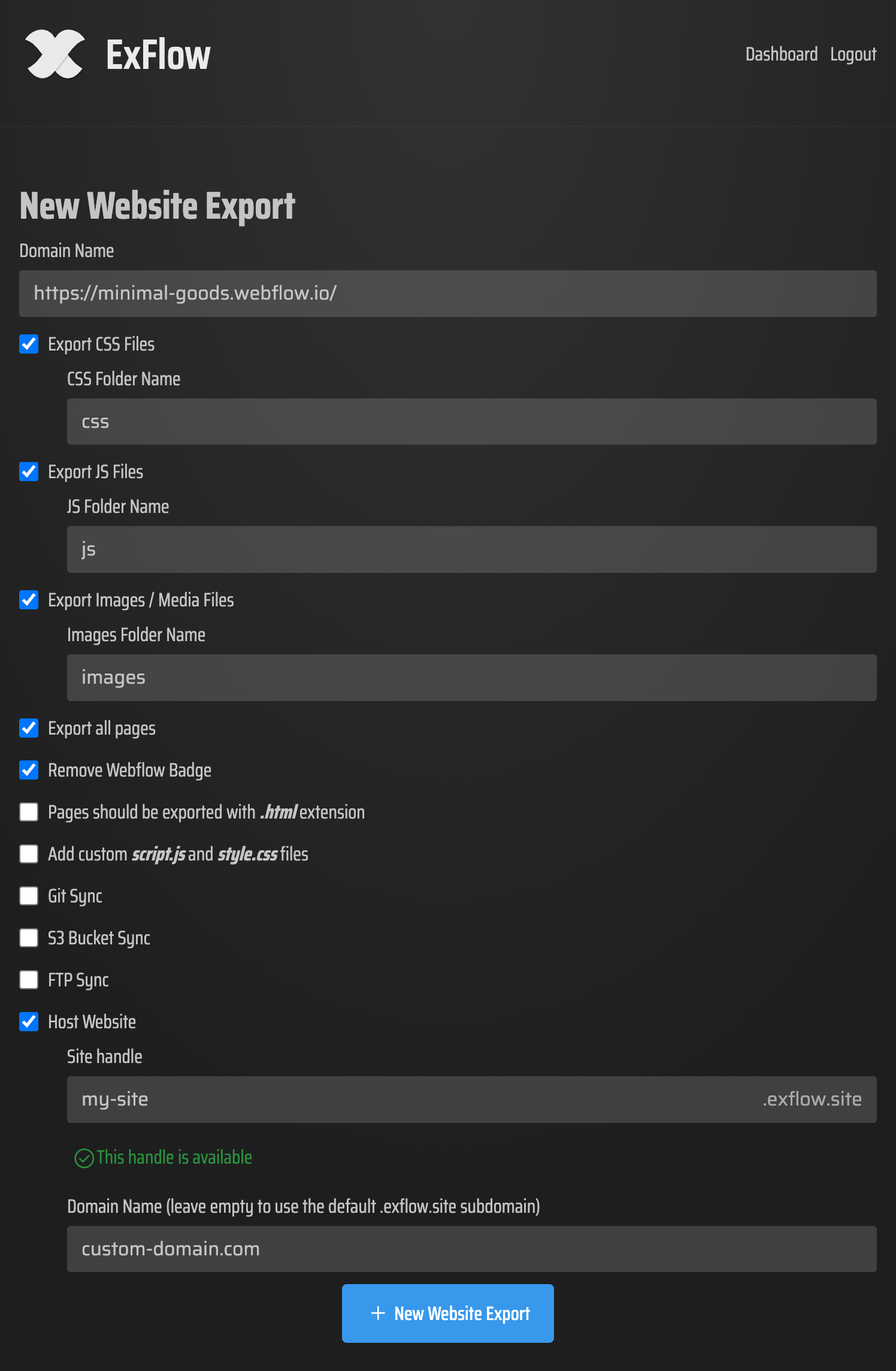
ExFlow was built specifically to solve this problem. It isn't a simple crawler; it's a sophisticated engine that understands how Framer structures its code. When you use ExFlow to export your Framer website with all animations and scripts, you get a perfect clone of your site, ready for self-hosting.
What ExFlow handles for you:
- Animations: Every hover state and scroll interaction remains intact.
- Badge Removal: Cleanly remove the 'Made in Framer' badge without paying for a premium plan.
- Asset Optimization: Images and media are exported in their high-quality versions.
- Automated Sync: You can even set up automated exports to AWS S3 or GitHub, making your workflow just as 'one-click' as Framer's native hosting.
Comparison: Framer vs. Self-Hosting with ExFlow
| Feature | Framer Hosting (Pro) | Self-Hosting (via ExFlow) |
|---|---|---|
| Monthly Cost | ~$30/month | $0 - $5/month |
| Custom Code | Included | Fully Extensible |
| Badge Removal | Requires Paid Plan | Included with ExFlow |
| Site Speed | Fast | Ultra-Fast (Static) |
| Ownership | Proprietary | You own the source code |
How to Migrate in 5 Minutes
Moving your site is simpler than you think.
- Design in Framer: Keep using the tool you love.
- Run ExFlow: Go to ExFlow.site, enter your URL, and let the tool generate your static files.
- Upload: Drop those files into a folder on your own server, or use ExFlow’s built-in sync features for Git or FTP.
Conclusion: Stop Paying for 'Permission' to Design
Framer is an incredible design tool, but its hosting is a premium service that many businesses simply don't need to overpay for. By leveraging ExFlow to transition to self-hosting, you regain control over your budget and your site's future.
Whether you’re a freelancer looking to increase your margins or a business owner tired of recurring subscriptions, it’s time to ask: is that $20/month really worth it? With ExFlow, the answer is finally 'No.'