 ExFlow
Why Your Framer Export Fails with HTTrack (And the Real Solution)
Framer has revolutionized the way designers build interactive, high-performance websites. However, as your site grows, so do the costs. Many users looking to save on premium hosting plans often turn to legacy tools like HTTrack to download their site files. Unfortunately, most find that their exported site is broken, missing animations, or completely blank.
In this guide, we’ll explore the technical reasons why generic crawlers fail with modern platforms and why ExFlow is the only reliable solution for exporting and self-hosting your Framer projects.
The DIY Dream: Why Designers Try HTTrack
HTTrack has been a staple in the web development community for decades. It’s a free, open-source tool designed to mirror entire websites to a local directory. For a platform like Webflow or Squarespace, users often hope it can act as a bridge to self-hosting and saving on monthly fees.
The logic is simple: if the browser can see the code, HTTrack should be able to download it. But modern web architecture has evolved significantly since HTTrack was first released, and Framer is at the cutting edge of that evolution.
The Technical Reality: Why HTTrack Fails with Framer
If you've tried to use HTTrack on a Framer site, you likely encountered one of three things: a page that never finishes loading, a site with broken CSS, or a "Made in Framer" badge that refuses to disappear. Here is why this happens:
1. React Hydration and JavaScript Dependency
Framer is built on React. Unlike old-school static sites where the HTML contains all the content, Framer sites rely on "hydration." The initial HTML is often just a shell; the JavaScript then takes over to render the components, text, and interactions. Generic crawlers like HTTrack often fail to execute the complex JavaScript required to trigger this process, leaving you with an empty shell of a website.
2. Complex Asset Mapping
Framer hosts assets (images, fonts, and scripts) across various Content Delivery Networks (CDNs). HTTrack struggles to map these external dependencies correctly when moving them to a local environment. This results in the common "missing image" or "broken font" issue that plagues manual exports.
3. Broken Animations and Interactions
Framer’s signature feature is its buttery-smooth animations. These aren't just simple CSS transitions; they are often powered by complex libraries like Framer Motion. When a generic tool tries to "scrape" the code, it often breaks the connection between the trigger (like scrolling) and the animation, leaving your site feeling static and unprofessional. This is a common issue we've discussed when back-up up sites locally.
The Hidden Costs of a Broken Export
Trying to fix a broken HTTrack export manually can take hours, if not days, of developer time. You have to hunt down missing scripts, fix file paths, and manually strip out unwanted code. For most business owners and designers, the time spent troubleshooting is worth far more than the hosting fees they were trying to save.
Furthermore, a broken export is an SEO nightmare. If your self-hosted site loads slowly or has broken links, Google will penalize your ranking, negating any growth benefits you gained from using a high-end design tool.
The Real Solution: Introducing ExFlow
This is exactly why we built ExFlow. Unlike generic tools, ExFlow is specifically engineered to understand the architecture of Framer, Webflow, and Squarespace. It doesn't just "scrape" the site; it intelligently exports it.
Why ExFlow succeeds where HTTrack fails:
- Complete Asset Sync: ExFlow fetches every image, script, and CSS file, ensuring your site looks identical to the original.
- Interaction Preservation: All your Framer Motion animations and complex interactions remain intact.
- Badge Removal: ExFlow can automatically remove the "Made in Framer" or "Made in Webflow" badges for a truly white-label experience. We have a full guide on how to download Framer sites and remove the badge for free.
- Clean Code: Instead of the bloated, messy code generated by scraping tools, ExFlow provides organized files ready for deployment.
How to Export Your Framer Site with ExFlow
Exporting your site is a three-click process that doesn't require any technical knowledge:
- Enter Your URL: Go to exflow.site and paste your Framer project URL.
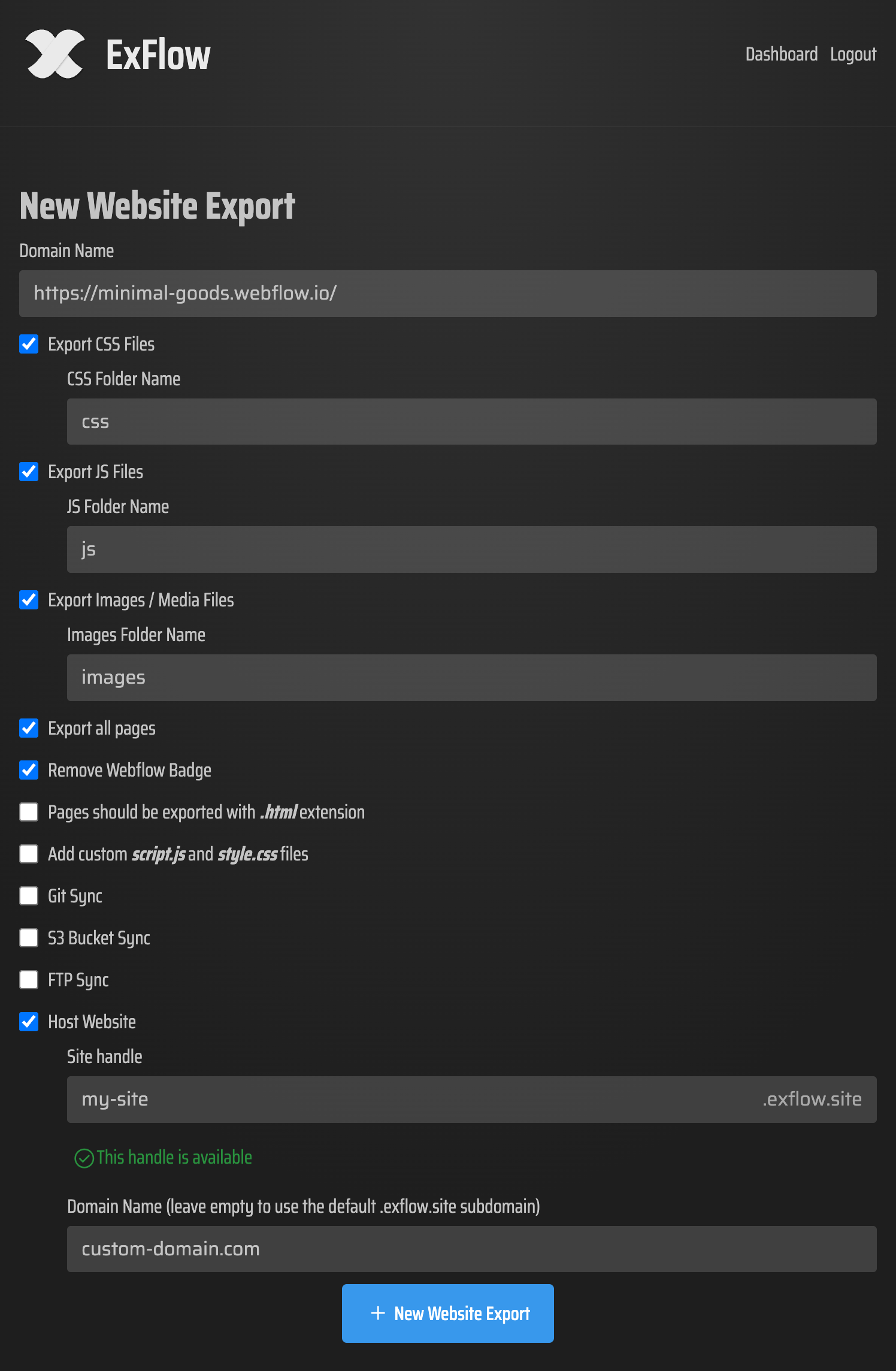
- Choose Your Settings: Select whether you want to export all pages, remove the badge, or sync directly to a provider like GitHub, S3, or FTP.
- Download and Host: Once the process finishes, you receive a clean ZIP file. You can then move your site to Cloudflare or use ExFlow’s own unlimited hosting for a fraction of the cost.
Conclusion
While the idea of using a free tool like HTTrack is tempting, the technical reality of modern web design makes it an unreliable choice for Framer users. To maintain the professional quality of your design while enjoying the freedom of self-hosting, you need a tool designed for the job.
Stop fighting with broken code and missing assets. Switch to ExFlow today and take full control of your Framer website. For more tips on saving money on design platforms, check out our comprehensive guide to HTTrack alternatives.