 ExFlow
Why Webflow Hosting is Too Expensive: How to Export and Save
Webflow has revolutionized the way designers and agencies build for the web. Its visual-first approach allows for the creation of complex, high-performance websites without writing a single line of code. However, as your site grows or your portfolio of client projects expands, a common realization sets in: Webflow hosting is expensive.
For many, the cost of keeping a site live on Webflow’s servers can feel like a mounting tax on creativity. If you find yourself managing multiple sites or a content-heavy blog, those monthly subscriptions add up quickly. But what if you could keep the power of Webflow’s design tool while ditching its premium hosting prices? In this guide, we’ll explore why Webflow pricing is structured the way it is and how tools like ExFlow allow you to export your site for self-hosting, saving you hundreds, if not thousands, of dollars per year.
The Real Cost of Webflow Hosting in 2024
When you look at the 2024 pricing tiers, the 'Basic' plan starts at $14/month (billed annually), which sounds reasonable until you realize it doesn't include a CMS. For a blog or a dynamic site, you’re looking at the 'CMS' plan at $23/month. High-traffic marketing sites often require the 'Business' plan at $39/month.
While these prices include a content delivery network (CDN) and security, they are significantly higher than traditional static hosting or even VPS solutions. For an agency managing 10 CMS sites, that’s $230 every single month—nearly $2,800 a year just to keep the lights on. This is where ExFlow provides an immediate ROI.
The Bandwidth and Traffic Trap
One of the most overlooked aspects of Webflow's pricing is the bandwidth limit. The CMS plan limits you to 200GB of bandwidth. While this sounds like a lot, a media-heavy site or a sudden viral post can push you over this limit, leading to unexpected overage charges or the need to upgrade to a $39/month Business plan.
By contrast, static hosting solutions (and ExFlow's own hosting) often provide much more generous or even unlimited bandwidth. When your site is just a collection of HTML, CSS, and optimized images, the cost of serving that data drops to near zero for the provider—a saving that ExFlow passes directly to you.
Why Self-Hosting is the Future for Static Sites
Self-hosting your exported Webflow site isn't just about saving money; it’s about control. When you host your files independently, you gain:
- Cost Efficiency: Platforms like Amazon S3, Cloudflare Pages, or even ExFlow’s own hosting offer much higher limits for a fraction of the cost.
- Performance: Static files are incredibly fast. By exporting your site to HTML, CSS, and JS, you eliminate the overhead of a database-driven backend during every page load.
- Security: Static sites are inherently more secure. Without a server-side database to exploit, the attack surface of your website is virtually non-existent.
- Ownership: You own the code. You can move it to any server, back it up locally, or version-control it with Git.
SEO Benefits of Static Exporting
Google loves speed. Core Web Vitals are a massive ranking factor in 2024. While Webflow's native hosting is fast, it still relies on their infrastructure and occasional server-side processing. A purely static site hosted on a global CDN (Content Delivery Network) can achieve near-perfect Lighthouse scores.
When you use ExFlow to export, you're stripping away the 'platform' weight. You get clean, minified code that loads instantly. This 'lightness' directly contributes to better rankings for terms like 'download webflow site' or any niche you are targeting. Furthermore, ExFlow ensures that your metadata, alt tags, and header structures remain intact, so your SEO hard work isn't lost during the transition.
How to Download a Webflow Site (The Right Way)
Many users initially turn to generic tools like HTTrack to scrape their sites. However, anyone who has tried this knows the pain of broken animations, missing images, and mangled CSS. Generic scrapers often fail to capture the nuances of Webflow’s proprietary scripts and CMS structures.
This is where ExFlow changes the game. Unlike an httrack alternative, ExFlow is purpose-built for the modern web. It doesn't just 'scrape'—it intelligently exports your entire project, ensuring that every interaction, animation, and CMS page remains perfectly intact. It even handles the 'httrack issues with Framer' that plague designers trying to leave that platform.
Step-by-Step: Exporting with ExFlow
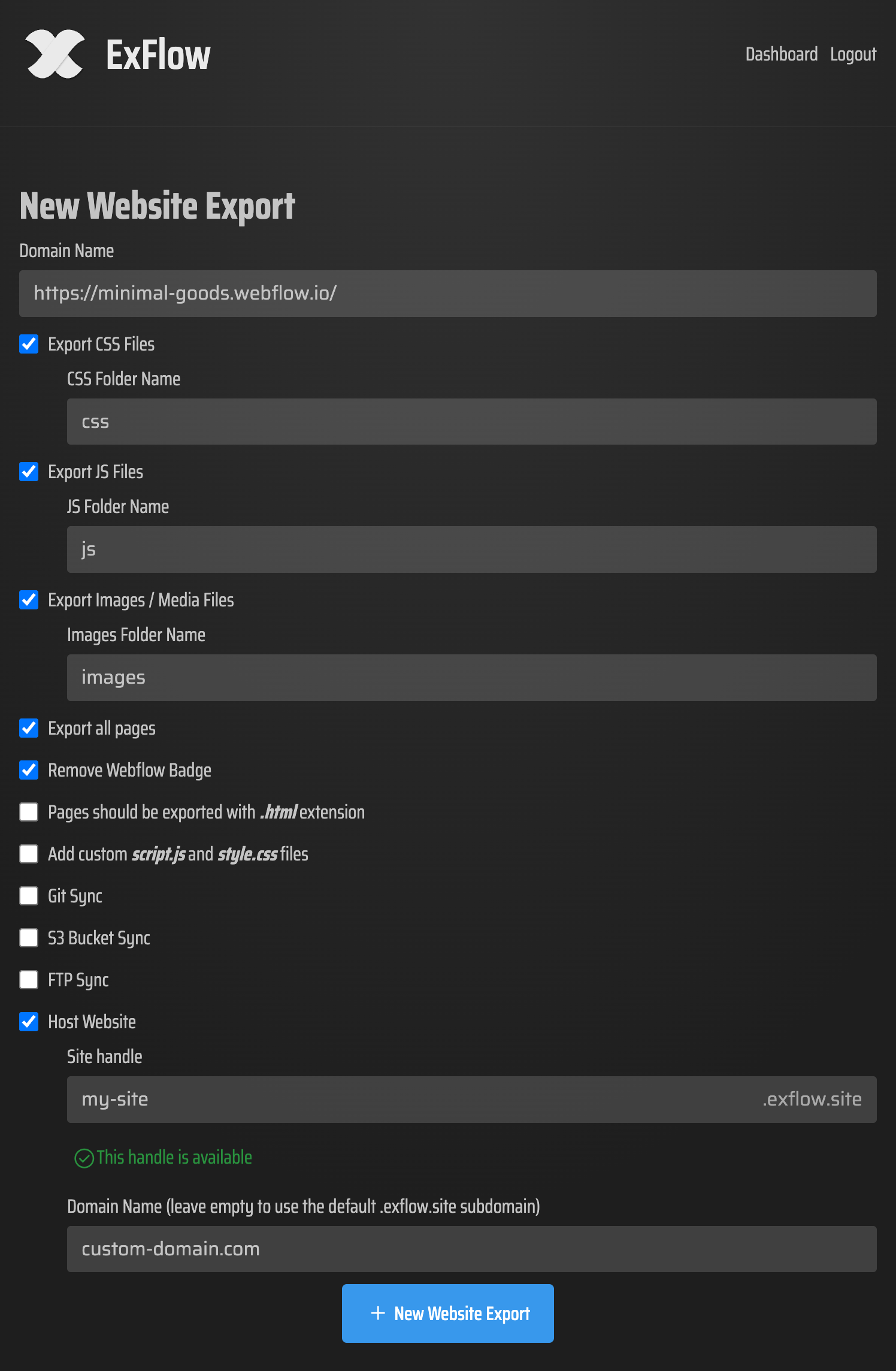
- Enter Your URL: Start by heading to ExFlow.site and entering your Webflow domain.
- Configure Your Export: This is where ExFlow shines. You can choose to export all pages (including CMS items), optimize your media files, and even remove the 'Made in Webflow' badge automatically.
- Choose Your Destination: You can download a clean ZIP file of your site, or better yet, use ExFlow’s built-in sync features to push your site directly to GitHub, Amazon S3, or FTP.
- Deploy: If you use ExFlow’s hosting, your site is live instantly on a global CDN with support for custom domains.
Beyond Webflow: Squarespace and Framer
The same 'hosting tax' applies to other platforms. Whether you're looking to export a Framer website or perform a Squarespace backup as static files, ExFlow provides a unified solution. For Squarespace users, ExFlow even handles password-protected sites, allowing you to move your content without the technical headache of manual migration. If you've been asking 'Can You Export a Framer Website?', the answer is a resounding yes with ExFlow.
Conclusion
You shouldn't have to choose between a great design tool and affordable hosting. By using Webflow for what it’s best at—design—and ExFlow for what it’s best at—exporting and hosting—you get the best of both worlds. You'll enjoy a faster site, lower monthly bills, and the peace of mind that comes with owning your digital assets.
Ready to stop overpaying for hosting? Try ExFlow today and see how easy it is to take your site with you.