 ExFlow
How to Export a Framer Website with All Animations and Scripts
Framer has taken the design world by storm, offering a canvas that feels like Figma but behaves like a high-performance web application. Its ability to create fluid, physics-based animations and complex interactions is second to none. However, as your site grows, so does the weight of its hosting fees. Many designers find themselves in a 'hosting trap'—loving the tool but dreading the monthly bill. This is where the need to export a Framer website becomes critical.
The Technical Wall: Why Framer Exporting is Hard
Unlike traditional site builders that generate simple HTML and CSS, Framer sites are built on a sophisticated React runtime. When you load a Framer site, you aren't just looking at a static page; you are running a JavaScript application that 'hydrates' the DOM, injecting animations and managing state in real-time. This proprietary infrastructure is why most generic tools fail. If you've ever tried to 'view source' and save a Framer page, you likely ended up with a blank screen or a broken layout. The code is compiled, class names are obfuscated, and the assets are often served via a specific CDN that expects a Framer-hosted environment.
Why HTTrack and Chrome 'Save As' Fail
We often get asked: 'Can't I just use HTTrack?' The short answer is no. As we discussed in our previous guide on Why Your Framer Export Fails with HTTrack, these tools are designed for the web of 2010. They don't understand modern JavaScript bundles.
HTTrack will crawl your site but fail to capture the necessary script references that trigger Framer's signature animations. You'll get the images and some text, but the 'soul' of the site—the interactions—will be missing. Similarly, Chrome's 'Save Page As' function only captures the current state of the DOM, missing the underlying logic required for responsiveness and dynamic content. This leads to broken layouts and missing assets, rendering the export useless for professional production.
Introducing ExFlow: The Ultimate Framer Static Downloader
ExFlow was built specifically to bridge this gap. Unlike generic crawlers, ExFlow understands the React-based architecture of Framer, Webflow, and Squarespace. It doesn't just download files; it 're-packages' your site into a clean, self-contained static folder that includes every animation, script, and media asset. Whether you are looking to remove the 'Made in Framer' badge for free or simply move to a more affordable hosting provider, ExFlow provides a professional-grade solution that works with a single click. It handles the heavy lifting of mapping dependencies and ensuring that your site looks identical to the original.
The SEO Advantage: Why Static Framer Sites Rank Better
One of the hidden benefits of using a static framer downloader like ExFlow is the SEO boost. Standard Framer sites rely heavily on client-side rendering. While Google has improved its ability to crawl JavaScript, static HTML is still the gold standard. By exporting your site to static files, you provide search engines with a pre-rendered version of your content that loads instantly. This reduces 'Time to First Byte' (TTFB) and improves your Core Web Vitals, which are critical ranking factors. Furthermore, you gain full control over your metadata, sitemaps, and robots.txt files, which can sometimes be restricted within managed platforms.
Performance Benchmarks: Framer Hosting vs. Self-Hosting
Framer's infrastructure is optimized for their platform, but it often includes overhead that your specific site might not need. When you export and self-host on a platform like Cloudflare Pages or Netlify via ExFlow, you are serving assets from a global edge network without the proprietary runtime overhead. In our testing, static exports often see a 20-30% improvement in PageSpeed Insights scores. For high-traffic marketing sites, these milliseconds translate directly into lower bounce rates and higher conversion. Plus, you avoid the 'Webflow hosting is expensive' dilemma by switching to unlimited bandwidth tiers for a fraction of the cost.
Step-by-Step: Exporting Your Framer Site with Animations Intact
- Prepare Your URL: Ensure your Framer site is published to a staging domain or your custom domain. If you have a password-protected site, ExFlow can handle that too.
- Enter the URL in ExFlow: Head over to ExFlow.site and paste your link. Our system will automatically detect the platform.
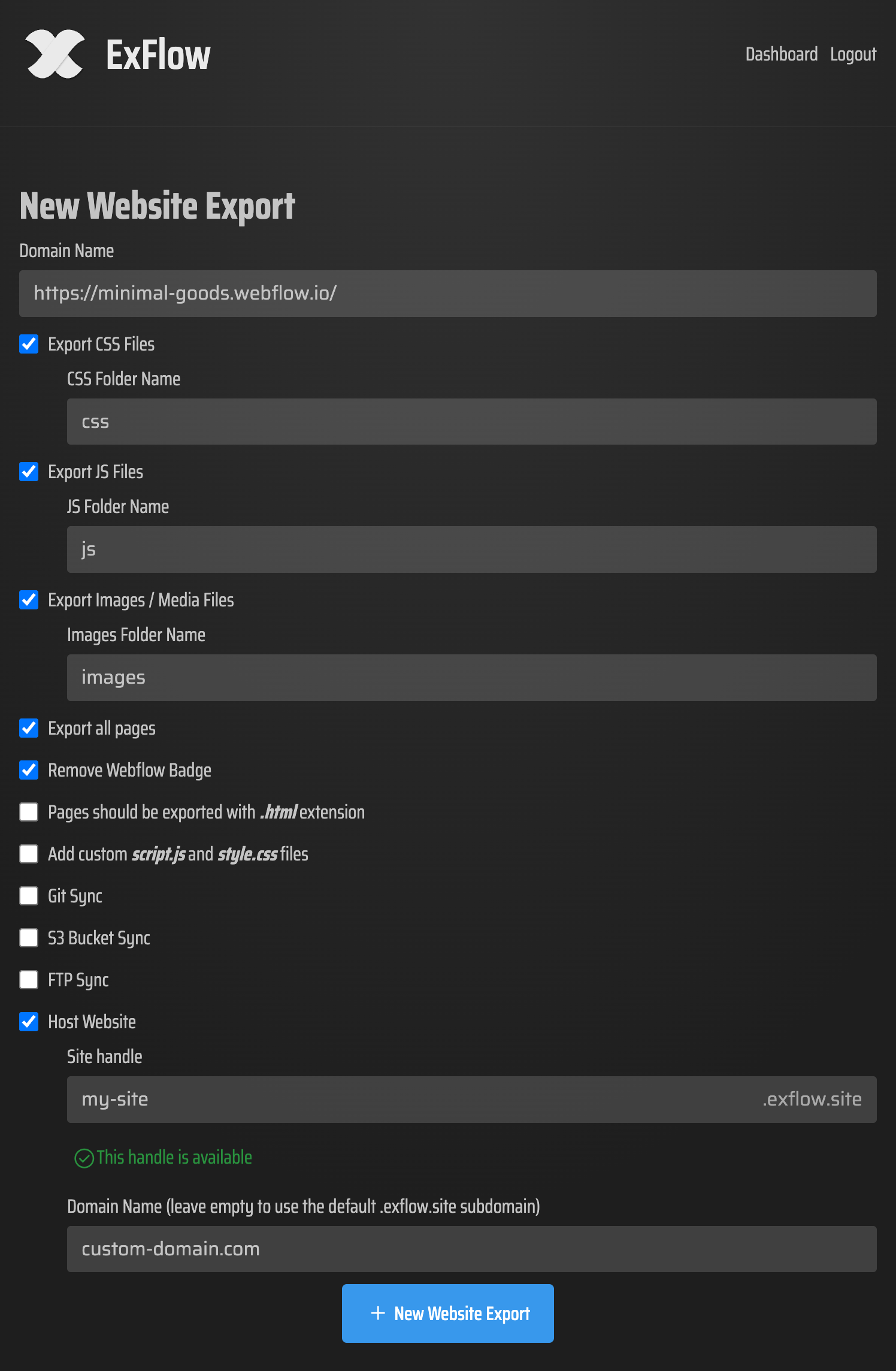
- Configure Your Export: Select 'Export All Pages' to ensure your entire project is captured. Toggle 'Remove Badge' to clean up your site’s footer. ExFlow will automatically identify the scripts required for your animations.
- Download the ZIP: Within minutes, you'll receive an optimized ZIP file containing your full site. This package is ready to be uploaded to any server or synced directly to your preferred hosting provider.
Hosting Your Exported Framer Site
Once you have your static files, the world is your oyster. You are no longer tied to Framer’s premium hosting tiers. You can host your site on GitHub Pages (the process is identical for Framer exports) or use ExFlow’s own ultra-affordable hosting service. For developers, ExFlow also supports direct syncing to AWS S3 and FTP, ensuring that your site remains live without the manual upload hassle. This is the perfect way to backup Squarespace or Webflow sites as well, keeping a local copy of your hard work.
Conclusion: Freedom from Subscription Bloat
Designers shouldn't have to choose between beautiful animations and affordable hosting. By using a specialized static framer downloader like ExFlow, you regain control over your code and your budget. Whether you want to avoid expensive hosting, perform a local backup, or simply have the freedom to move your site wherever you want, ExFlow is the bridge to web independence. Export your Framer website today and experience the freedom of self-hosting with all your scripts and animations perfectly intact.