 ExFlow
Why HTTrack Fails on Framer Websites: The Modern Exporter Solution
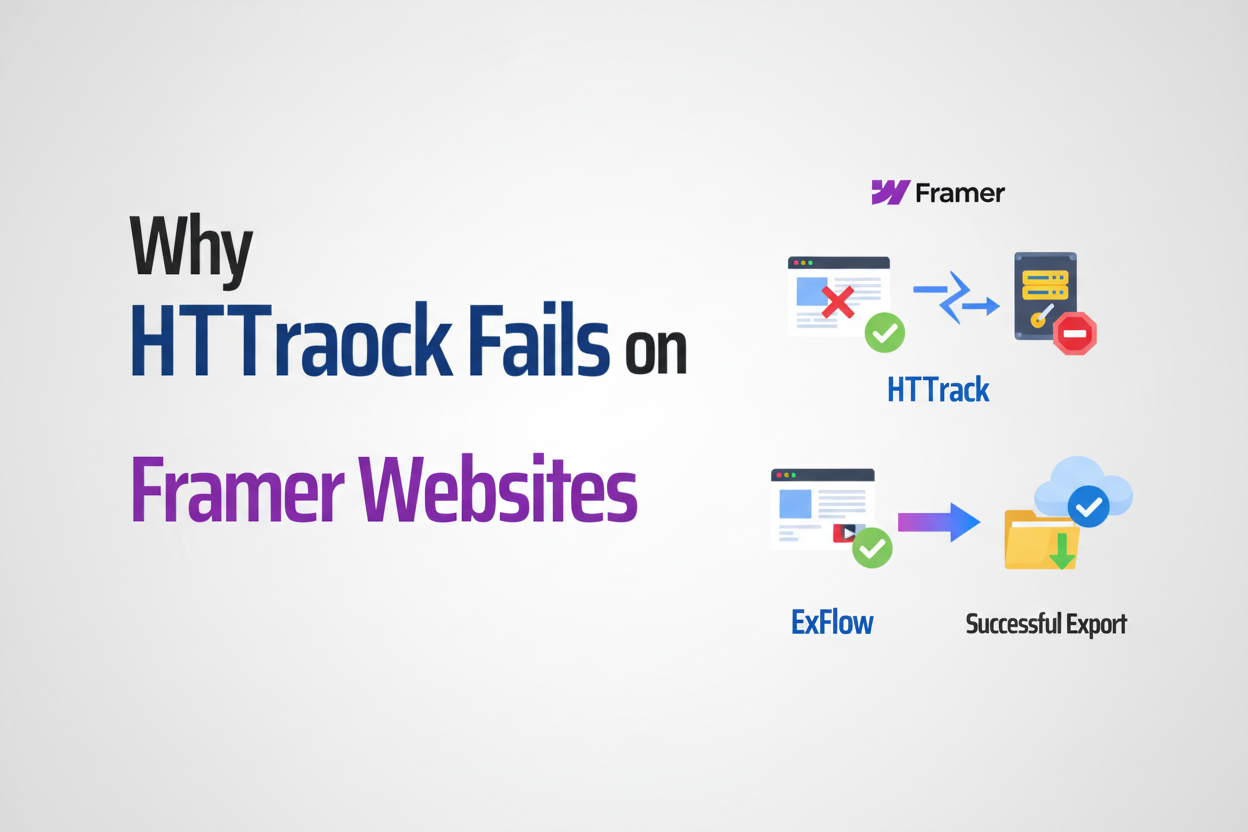
The web has evolved at a breakneck pace. We’ve moved from simple, static HTML pages to highly interactive, component-based architectures that behave more like desktop applications than traditional documents. While tools like Framer, Webflow, and Squarespace have empowered designers to create stunning digital experiences without writing code, they’ve also introduced a unique set of challenges for archiving, migrating, or backing up those same sites.
For years, HTTrack was the go-to utility for "mirroring" a website. It was reliable, free, and relatively simple. But if you’ve tried to use HTTrack on a modern Framer or Webflow project recently, you’ve likely encountered broken layouts, missing animations, or a folder full of empty files. In this guide, we’ll dive deep into why HTTrack fails on Framer websites and why a dedicated solution like ExFlow is the essential modern alternative.

The Fundamental Limitations of HTTrack
To understand the failure, we have to look at how HTTrack works. At its core, HTTrack is a crawler that follows links in HTML code. It downloads the HTML, looks for <a> tags or <img> tags, and tries to download those assets too. This worked perfectly in 2005. Today, it’s a recipe for disaster.
1. The JavaScript Execution Gap
Modern sites built with Framer or Webflow rely heavily on JavaScript to render content. When you load a Framer site, the initial HTML is often just a shell. The actual content—the text, the images in sliders, the interactive components—is injected into the page via JavaScript after the page starts loading.
HTTrack does not execute JavaScript. It simply reads the raw source code. Because it can't "see" the content generated by scripts, it never knows those assets exist. The result? You download a website that is missing half its content because the crawler couldn't trigger the scripts that load it.
2. Dynamic URL Generation and Obfuscation
Framer and Webflow often use dynamic URL generation for their assets, or they host media on complex Content Delivery Networks (CDNs) with temporary access tokens. HTTrack struggles with these non-standard URL structures. If a link isn't explicitly written in the static HTML, HTTrack will likely miss it. This leads to the common "broken image" or "missing CSS" issues that plague users trying to download Webflow sites or export Framer websites using legacy tools.
3. Robots.txt and Security Constraints
Many modern hosting platforms have aggressive security headers and robots.txt rules designed to stop bots and scrapers. HTTrack, which identifies itself as a crawler, is frequently blocked by these protections. While you can sometimes bypass this by changing the User-Agent, you still run into the architectural barriers mentioned above.
Why Framer is Specifically Challenging
Framer is a unique beast. Unlike Webflow, which is more of a visual wrapper around traditional CSS/HTML, Framer is built on top of React. It uses a component-based architecture where every element is part of a complex JavaScript bundle.
When you attempt a static Framer download with a tool like HTTrack, you aren't just missing images; you're missing the entire logic of the site. Framer’s "Smooth Scroll," its advanced interactions, and its responsive breakpoints are all managed by sophisticated code that a simple scraper cannot deconstruct. This is why your HTTrack export looks like a broken relic from the 90s rather than the futuristic design you built.

Introducing ExFlow: The HTTrack Alternative for the 2020s
If you're frustrated with HTTrack issues with Framer, you aren't alone. This is exactly why ExFlow was built. Rather than being a generic web crawler, ExFlow is a specialized site exporter designed specifically for the ecosystems of Webflow, Squarespace, and Framer.
How ExFlow Solves the Problem
Unlike legacy scrapers, ExFlow understands the specific structure of these platforms. It doesn't just crawl; it interprets.
- Full Site Export: ExFlow can handle complete sites, including the notoriously difficult CMS pages that Webflow’s built-in exporter often ignores.
- Asset Preservation: It captures all CSS, JS, and high-resolution media, ensuring your site looks and feels identical to the original.
- Badge Removal: Want to remove the Framer badge or the "Made in Webflow" tag? ExFlow handles that automatically during the export process.
- Clean Code: It produces a ZIP file with organized HTML, CSS, and media folders, making self-hosting Squarespace or Webflow sites incredibly easy.
The Benefits of Switching to ExFlow
-
Massive Cost Savings: Let’s be honest: Webflow hosting is expensive. For a simple static site, paying $20+ per month per site adds up. By using ExFlow to export your site, you can host it for a fraction of the cost—or even for free—on platforms like GitHub Pages, Netlify, or ExFlow’s own optimized hosting.
-
True Backups: A backup isn't a backup if it doesn't work. ExFlow gives you a functional, offline copy of your site. This is perfect for developers who need to backup Squarespace sites or keep a local copy of a Webflow project before a major overhaul.
-
Flexibility and Control: Once you have your files, you are no longer locked into one platform's ecosystem. You can add custom scripts, integrate with your own database, or host the site on your own private servers.
How to Export Your Site with ExFlow (Step-by-Step)
Migrating away from high hosting fees or creating a perfect backup is simpler than you think. Here is how you can use ExFlow today:
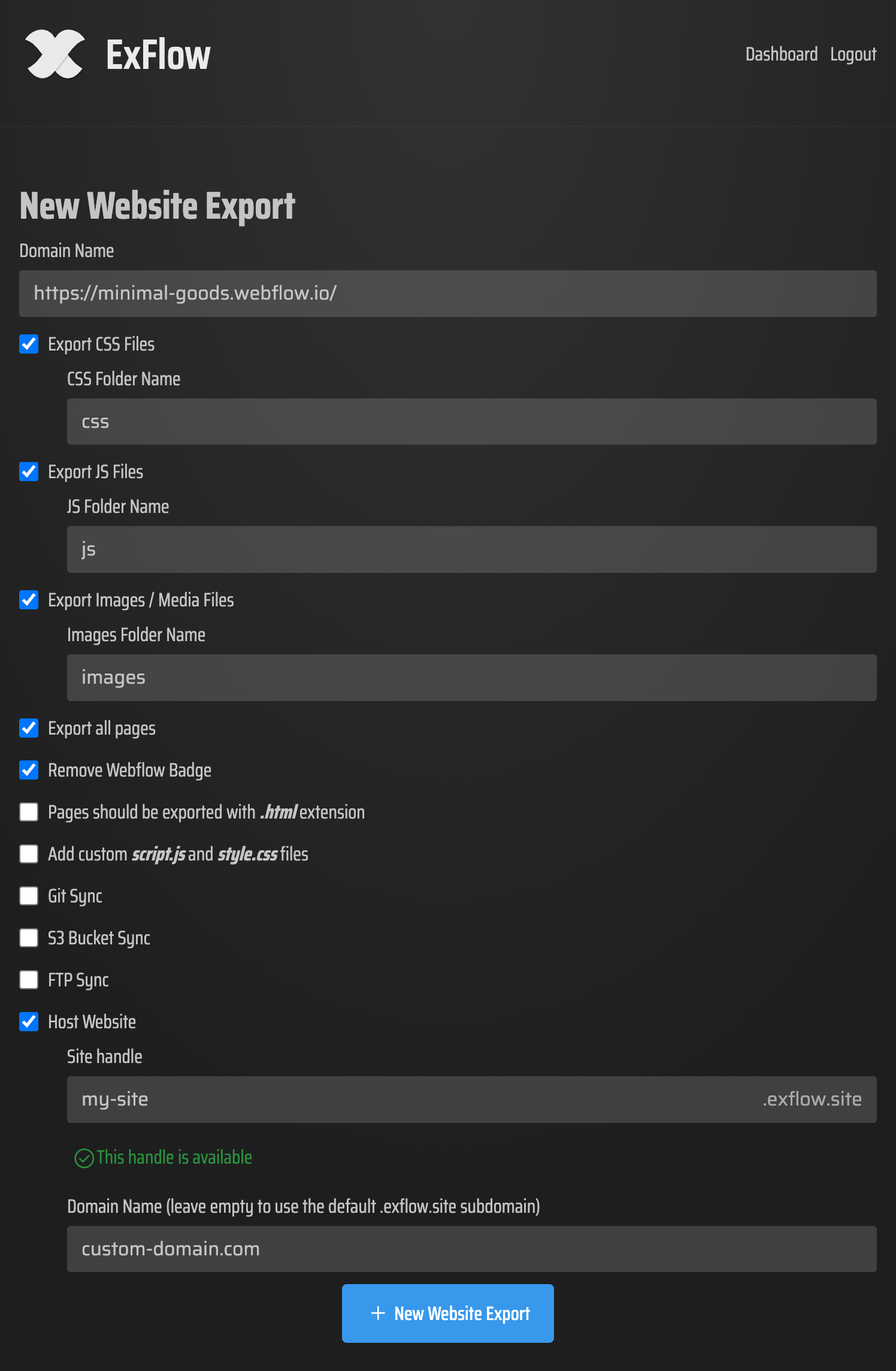
- Enter Your URL: Go to exflow.site and enter the domain of the site you want to export.
- Configure Your Settings: Choose your preferences. Do you want to remove the "Made with" badge? Do you need to sync with a Git repository or an S3 bucket? ExFlow supports all of these.
- Process and Download: Click export. ExFlow will navigate the complex JavaScript of your Framer or Webflow site, gather all assets, and package them into a clean ZIP file.
- Host Anywhere: You can download the ZIP and upload it to your own server via FTP, or use ExFlow’s built-in hosting to link your custom domain instantly.
Conclusion: Modern Problems Require Modern Solutions
HTTrack served its purpose for a generation, but in the era of Framer and Webflow, it’s a legacy tool trying to solve a modern problem. If you want to export a Framer website without losing your animations, or if you're looking for a reliable HTTrack alternative that actually works with the Webflow CMS, ExFlow is the answer.
Stop fighting with broken mirrors and incomplete downloads. Give ExFlow a try and see how easy it is to own your code, save on hosting, and keep your designs pixel-perfect.