 ExFlow
Why HTTrack Fails to Export Framer Sites (and the Best Alternative)
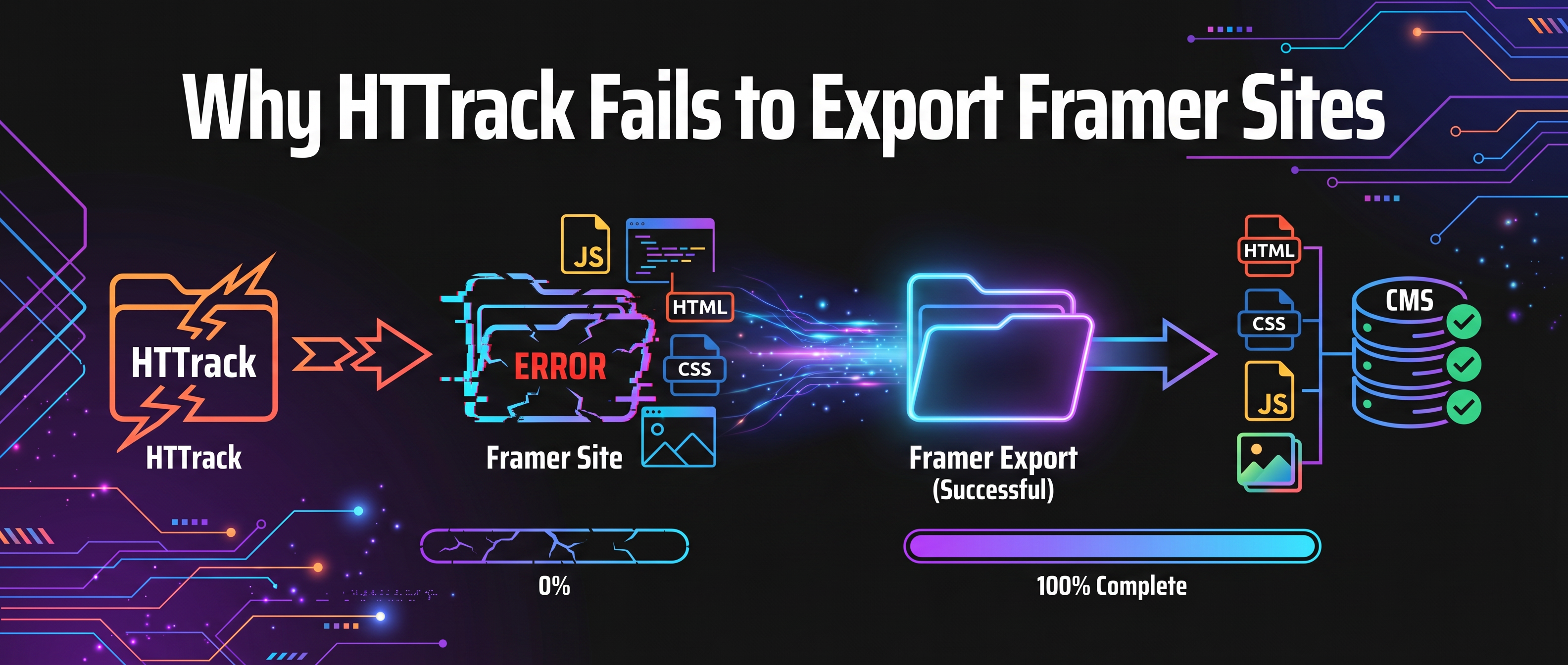
Framer has revolutionized how we design websites. Its "what you see is what you get" interface combined with powerful interactions makes it a top choice for designers and agencies worldwide. However, as your site grows and you start adding custom domains or managing multiple projects, the hosting costs can quickly spiral out of control. Naturally, many users look for ways to export their code and host it elsewhere—whether on Amazon S3, Netlify, or their own private servers.
Enter HTTrack. For decades, it has been the go-to utility for "ripping" websites. It’s free, open-source, and has a certain nostalgic charm. However, if you've tried using it on a modern Framer site, you've likely seen the disappointing result: a broken mess of missing styles, non-functional buttons, and static placeholders where beautiful animations used to be.
In this guide, we’ll dive deep into the technical reasons why HTTrack fails in the modern no-code era and why ExFlow is the specialized alternative you need to successfully move your site.
The Legacy of HTTrack: A Tool from a Different Era
HTTrack is a free and open-source offline browser utility. It was designed to download a World Wide Web site from the Internet to a local directory, building recursively all directories, getting HTML, images, and other files from the server. It was a marvel in the early 2000s when most of the web consisted of static HTML files served directly from a disk.
But the web has moved on. Today's websites are high-performance applications.

Technical Reason #1: The React-Based Architecture
Framer sites are not just HTML. They are built on React, a powerful JavaScript library for building user interfaces. When a visitor lands on a Framer URL, the browser doesn't initially receive the full page content. Instead, it gets a minimal HTML "shell" and a series of large JavaScript bundles.
HTTrack is a "dumb" crawler. It looks at the HTML it receives and follows links. Because it doesn't execute JavaScript, it never triggers the React hydration process. To HTTrack, your site looks like an empty box. When you open the export locally, you're likely to see a blank screen or a "loading" state that never finishes because the crawler failed to fetch the data that the JavaScript would normally populate.
Technical Reason #2: Hashed Assets and CDN Complexity
Framer optimizes performance by hosting assets (images, fonts, and scripts) across multiple Content Delivery Networks (CDNs). To prevent caching issues, these files are often given complex, hashed filenames like image-a7b2c9.webp.
HTTrack often fails to recognize these external CDN links as part of the site it needs to download. Even when it does, the way it rewrites URLs to point to local folders often breaks the connection between the code and the asset. The result? A website without images, icons, or branding.

Technical Reason #3: The Loss of Framer Motion
Framer’s signature animations are powered by Framer Motion. These interactions are deeply integrated into the state of the application. Unlike a simple GIF or a basic CSS transition, these animations respond to scroll position, mouse movement, and component lifecycles.
Legacy crawlers cannot capture state-driven behavior. If HTTrack managed to grab the script files (which it often doesn't do correctly), the data bindings that tell the script when and how to animate a specific button are usually lost in the transfer. Your sleek, modern site suddenly feels like a static PDF from 1998.
Introducing ExFlow: The Intelligent Alternative
If you want to leave Framer's ecosystem without losing your design's soul, you need a tool that understands the language Framer speaks. ExFlow is not a generic crawler; it is a specialized exporter designed specifically for high-end builders like Framer, Webflow, and Squarespace.
Why ExFlow Succeeds Where HTTrack Fails:
- Full Fidelity Rendering: ExFlow interprets the site's structure as a browser would, ensuring every piece of dynamic content is captured and rendered into high-quality static HTML.
- Clean, Optimized Code: Instead of the messy, duplicated files HTTrack produces, ExFlow organizes your CSS, JS, and media files into a professional structure that is easy to read and manage.
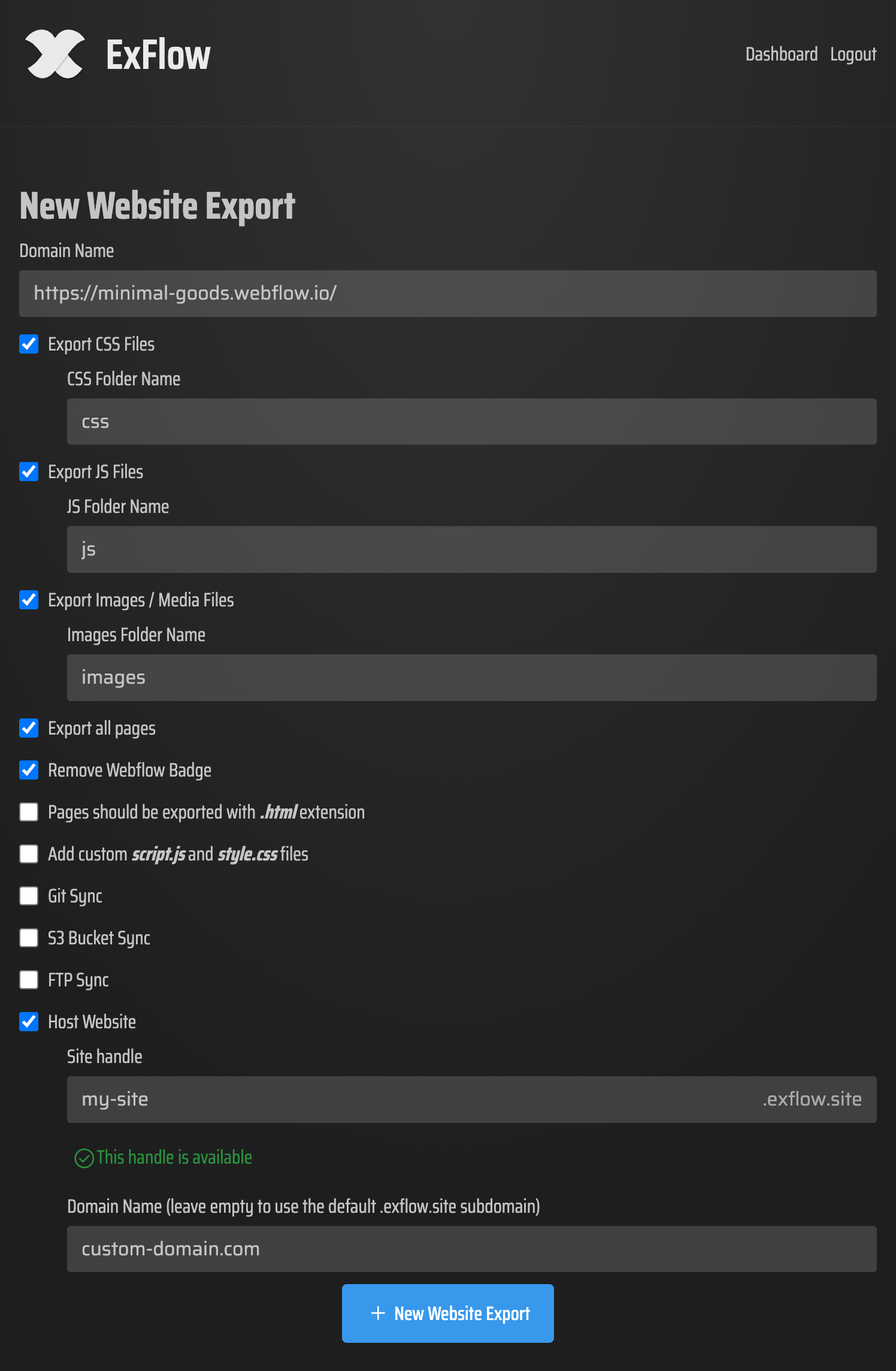
- Automatic Badge Removal: One of the biggest pain points for Framer users is the "Made in Framer" badge. ExFlow removes this automatically during the export process, giving your site a truly professional, white-labeled look.
- Seamless Syncing: Why manually upload files? ExFlow supports automatic syncing with GitHub, Amazon S3, and FTP.
Step-by-Step: How to Export Your Framer Site with ExFlow
Reclaiming your site is a matter of minutes, not hours:
- Enter Your URL: Visit ExFlow.site and enter your Framer domain.
- Select Your Options: Toggle the "Remove Badge" feature and choose whether you want to export all pages, including CMS-driven content (which HTTrack almost always misses).
- Configure Hosting (Optional): If you don't want to set up your own server, ExFlow offers built-in, inexpensive hosting that is significantly cheaper than Framer’s native plans.
- Export & Download: Hit the button, and ExFlow will package your entire site into a clean ZIP folder or sync it directly to your chosen provider.

Conclusion: Don't Settle for Broken Exports
In the battle of HTTrack vs. the modern web, the winner is clear. Legacy tools simply aren't equipped to handle the complexity of React-based site builders. Using HTTrack on a Framer site is like trying to record a high-definition movie with a cassette tape recorder—the medium just doesn't fit the message.
ExFlow provides the technical bridge you need to export your Framer site with 100% fidelity. Save on hosting costs, enjoy the freedom of self-hosting, and keep your site looking exactly as you designed it.
Ready to take control? Export your site with ExFlow now.