 ExFlow
HTTrack Alternatives: Why ExFlow is Better for Exporting Webflow Sites

For years, developers and hobbyists looking to save on hosting costs have turned to legacy tools to scrape their sites. When you realize that Webflow hosting is expensive, your first instinct might be to look for a free 'website copier'. Enter HTTrack.
However, while HTTrack was a pioneer in the early 2000s, the web has evolved. Modern platforms like Webflow, Framer, and Squarespace use complex JavaScript, dynamic interactions, and nested CSS that old-school crawlers simply cannot handle. If you've ever tried to download a Webflow site with HTTrack only to find broken animations and missing images, you aren't alone.
The Modern Web Gap: Where HTTrack Falls Short
HTTrack was designed for a static era. Today’s websites are living applications. Here is why HTTrack often fails for modern no-code builders:
- Dynamic Interactions: Webflow and Framer rely on sophisticated scripts for animations. HTTrack often misses these, leaving your exported site feeling 'dead'.
- CMS Complexity: Trying to export Framer website content via a crawler often misses the relational data stored in a CMS.
- Broken Assets: It's common to see 'httrack issues with framer' because the tool struggles to map relative paths for images and stylesheets correctly.

Introducing ExFlow: The Specialized HTTrack Alternative
Unlike generic scrapers, ExFlow is built specifically for the platforms you use. It doesn't just crawl; it understands the architecture of Webflow, Squarespace, and Framer. Whether you need to backup Squarespace sites or want a static Framer downloader, ExFlow ensures every pixel and interaction remains intact.
Why ExFlow Wins:
- Clean Code: No more messy folder structures. You get a clean ZIP with optimized HTML, CSS, and JS.
- Badge Removal: Automatically remove Framer badges or Webflow branding without touching a line of code.
- Full CMS Support: Unlike HTTrack, ExFlow captures every single page, including your dynamic CMS collections.
Feature Comparison: ExFlow vs. HTTrack
| Feature | HTTrack | ExFlow |
|---|---|---|
| Webflow Animations | Often Broken | Fully Supported |
| CMS Page Export | No | Yes |
| One-Click Sync (S3/Git) | No | Yes |
| Badge Removal | Manual/Hard | Automatic |
| Ease of Use | Technical/Complex | Intuitive/User-Friendly |

Step-by-Step Guide: Transitioning to Self-Hosting
If you're ready to stop paying $20+/month for basic hosting, follow these steps:
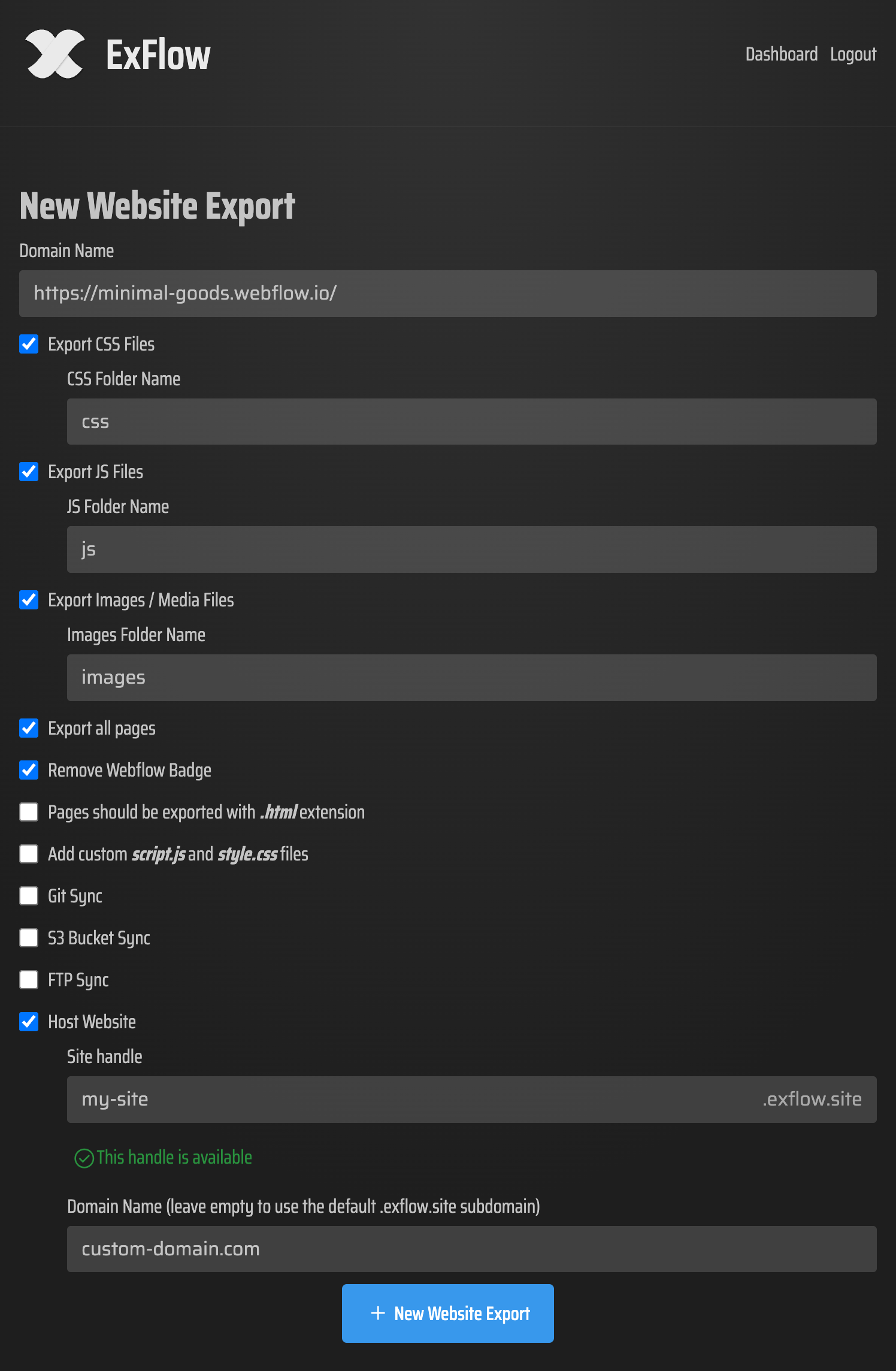
- Connect your URL: Enter your site address on ExFlow.site.
- Configure Settings: Choose to export all images, media files, and scripts. Don't forget to toggle the 'Remove Made With Badge' option.
- Select Your Destination: You can download the ZIP manually or use the built-in self-hosting Squarespace or Webflow features to sync directly to AWS S3, GitHub, or FTP.
Conclusion: Future-Proofing Your Website Strategy
Relying on a tool from the 90s to manage your 2024 tech stack is a recipe for frustration. While HTTrack served its purpose, ExFlow provides the reliability and precision required for professional website exports. Whether you are looking for an httrack alternative to save money or just need a robust backup solution, it's time to switch to a tool that respects your design.
Ready to export? Try ExFlow for free today and see the difference specialized exporting makes.